
Three ways in.
One cookbook.
A recipe reaches Peelmeal three ways: paste the link into the app, share it straight to Peelmeal from wherever you found it - without leaving Instagram, TikTok, Facebook or Pinterest - or photograph the page it is printed on.
Most people find the first and never meet the other two. This guide walks all three, then shows what the app does with a recipe once it is yours.
Paste the link.
The way most people start: you have the address of a recipe, from a post or a blog, and you want the cooking part of it in your cookbook.
- 01
Copy the address
In TikTok, Instagram, Facebook or Pinterest, open the post and use its own share control to copy the link. On a recipe blog, copy the address out of the browser.
- 02
Tap Paste recipe
It sits on the home screen under tonight’s plan, and again on the Recipes tab. The sheet opens on Link. Paste the address into the field.
- 03
Let it land
Peelmeal reads the post, pulls out the ingredients and the method, and writes the recipe into your cookbook with a link back to the source. You can leave the screen while it works.
Some recipe pages will not hand their text over to anything but a browser. When one of those refuses, switch the sheet to Text, copy the recipe off the page, and paste that instead. Peelmeal structures pasted text the same way it structures a link. The third tab, Photo, is for a recipe that is not on a screen at all: point the camera at the page and Peelmeal reads it off the paper.
Import from link
Recipe pages, blogs, or public social recipe links.
Or never leave the
app you are in.
Peelmeal is a share target on both phones, so a recipe post can go into your cookbook without copying anything. This is the faster way and the one nobody finds, because it lives in the sheet your phone draws rather than on a screen we control.
On iPhone
SHARE · THEN THE APP ROW
- Copy
- Save to Files
- 01Open the post and tap its share control. In Instagram and Facebook that is the arrow or paper plane; in Safari it is the arrow at the bottom of the screen.
- 02The sheet slides up with a row of app icons. Tap Peelmeal. If you cannot see it, swipe the row to its end and tap More, which lists every app that can take a link.
- 03Peelmeal opens on the import and starts working. Nothing to paste.
On Android
SHARE · THEN THE APP GRID
- 01Open the post and tap Share. Every app that can hand out a link has one, usually under the three-dot menu or beside the like and comment controls.
- 02The sheet slides up with a grid of apps. Tap Peelmeal. Swipe the grid up if it is not in the first rows.
- 03Peelmeal opens on the import and starts working. Nothing to paste.
The row of apps is different on every phone and it reorders itself as you use it. Look for the peeler, not for a position.
Photograph the page.
The recipes that were never on a screen: the cookbook on the shelf, the card in your grandmother's tin, the page torn out of a magazine. Point the camera at it and Peelmeal reads the recipe off the paper.
- 01
Open the sheet on Photo
The same Paste recipe control on the home screen and on the Recipes tab. The sheet opens on Link; the third tab is Photo. Take a photo uses the camera, Choose from photos takes one you already have - a screenshot of a recipe counts.
- 02
Shoot the whole recipe, straight on
Get the ingredients and the method in frame, flat and in good light. A recipe that runs across a spread takes more than one shot: up to three pages, read in the order you take them, as one recipe. Angled, dim or small print still works if the words can be read.
- 03
Let it land
From here it is any other import. The recipe appears in your cookbook while you get on with something else, and it says it came from a photo rather than from a link.
The photo is read, then it is gone. It is sent to be read and never stored - not in your cookbook, not on our servers, and it does not become the recipe's picture. What you keep is the recipe: your own copy, editable, yours to cook from. If you want the page itself on the recipe, add it yourself afterwards from recipe edit, which has its own photo picker.
Import from a photo
A cookbook page, a recipe card, a screenshot. Peelmeal keeps the recipe, not the photo.
Add more pages of the same recipe.
What can come in.
- TikTok posts
- Instagram posts and reels
- Facebook posts and reels
- Pinterest pins
- Recipe blogs and recipe pages
- Recipe text you paste in yourself
- A page you photograph - a cookbook, a recipe card, a clipping, a screenshot
- YouTubeA description alone rarely holds a real recipe, so it is off until it can be done properly.
- Facebook groupsGroup posts are visible to members only, so there is nothing for Peelmeal to read.
- Anything behind a loginIf a page needs an account to be read, copy the recipe text and paste that instead.
Every account starts with five free AI imports. Premium makes them unlimited. Writing a recipe in by hand is free and unlimited on any account, and an import that fails does not spend a credit.
When the recipe
does not exist yet.
The rest of this guide assumes you found a recipe somewhere. Some evenings you have not: you have a fridge, or a dish in mind and nowhere to read it. Peelmeal writes those, rather than reading them.
List what you have
Type the ingredients in as chips - what is actually in the fridge, not a shopping list - and a short batch of ideas comes back that uses them: what each one is, how long it takes, which of your things it uses and the few it would still need. Narrow by cuisine, protein or mood, or ask for a different batch, then pick the one you want written out in full.
Or just name the dish
If you already know what you want to cook and simply have no recipe for it, name it and Peelmeal writes one - ingredients, method, timings - which you read through before deciding to keep it.
Looking is free; keeping is not. Asking for ideas costs nothing and saves nothing - browse a batch, narrow it, ask for another. The credit is spent when you pick one and Peelmeal writes the full recipe into your cookbook, the same credit an import spends. A written recipe is yours exactly like an imported one: editable, plannable, cookable.
Five ideas
- 01Harissa chicken thighs with lemon-braised cabbageSheet-pan. Cabbage goes soft and charred under the chicken fat.Uses everything
- 02Crispy chickpea and feta rice with dillRice goes in last so the bottom crisps. Yogurt on the side.Uses 6 of yoursNeeds garlic
- 03Chicken and cabbage okonomiyaki-style pancakeShredded cabbage bound with egg, chicken folded through.Uses 4 of yoursNeeds eggs, flour
- 04Lemon-yogurt chicken kebabs with chickpea saladYogurt marinade, ten minutes under the grill.Uses 7 of yoursNeeds parsley
Then it is a cookbook.
Importing is the part people get stuck on. Everything after it is the reason to bother: the recipe is yours now, editable, private, and wired into the week.
- 11:21No. 142PastaSaturday
Lemon Pistachio Orzo
Saved frombonappetit.comIngredients4SRV8 items- 300 gOrzo
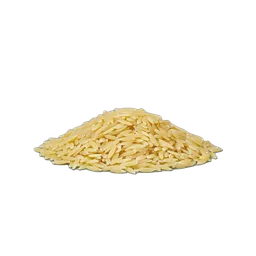
- 80 gPistachios, toasted
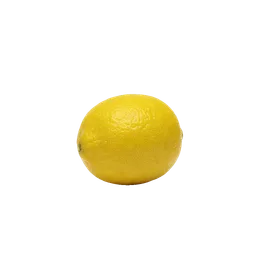
- 2 Lemon, zest and juice
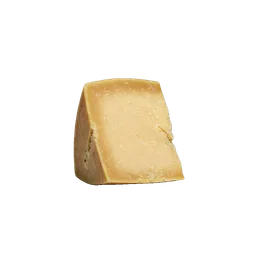
- 40 gParmesan, grated
- 2 tbspButter
01Read what landed
Ingredients, steps, timing and servings, laid out as a page rather than a wall of text, with the source credited underneath. Everything is editable: fix a quantity, cut a step you never do, add the note you always forget.
- 300 gOrzo
- 11:21Your library
Saved recipes
4 COLLECTIONS·18 SAVED- 01Weeknights›
- 02Sunday cooking›
- 03Feeding a crowd›
- 04To try›
02File it into a chapter
A collection is a chapter of your cookbook: a name you wrote, holding recipes you chose. Add a recipe to as many as you like from the recipe itself, and flip the Recipes tab between the whole library and a contents page of your chapters. Free, with no limit.
- 11:21This week
Cook ahead,
shop once.25Saturday›Shakshuka26Sunday›Lemon Pistachio Orzo03Put it in the week
The Plan tab opens on today plus six days forward. Tap an empty slot and drop the recipe in. A day takes more than one dish, so a main and a side each get their own slot, and a month view is there when you want to look further out.
- 11:21COOKINGLemon Pistachio Orzo3/5STEP 03 OF 05
Add the orzo and toast, stirring, until the edges turn light gold.
SET TIMER2:00FOR THIS STEP- 300 gorzo
- 2 tbspbutter
 2 clovesgarlic
04Cook from it
Phone on a stand, one step at a time at 28-point ink so it reads across the kitchen. Timers come out of the step text, and the servings stepper rescales every quantity at once.
- 11:21The list
Your shopping
8 of 13Produce3 ITEMS- LemonsFROM ORZO
- Cabbage, savoyFROM CABBAGE
- ParsleyFROM ORZO
Pantry2 ITEMS- Orzo, 300gFROM ORZO
- Olive oilFROM ORZO
05Shop for it
What you planned becomes one shopping list, grouped by aisle, with the same item from two recipes merged into one line. Smart Pantry, on Premium, adds a third view that flags what you probably already have at home.
The five things
people write in about.
- 01 Peelmeal is not in my share sheet
- The row of apps is longer than it looks. On iPhone, swipe it to the end and tap More, which lists every app that can take a link. On Android, swipe the grid upward. Both phones reorder that row by what you use, so once you have shared to Peelmeal a couple of times it moves to the front.
- 02 It says the link is not supported
- YouTube, Facebook group posts, and anything that needs a login cannot be read. Open the recipe in a browser, copy the text of it, and use the Text tab in the import sheet instead. Everything else works the same from there.
- 03 The recipe came back thin or wrong
- Imported recipes are yours and fully editable: open it, fix the ingredient or the step, and it stays fixed. Posts that keep the method in the video narration rather than the caption are the usual cause.
- 04 It could not read my photo
- Take another one rather than retrying: the photo is not kept after it is read, so there is nothing on our side to run again, and the app offers a retake instead of a retry for that reason. Lay the page flat, get the whole recipe in frame, and give it as much light as you can - a shadow across the middle of a page defeats it more often than small print does.
- 05 I closed the app while it was importing
- The work runs on our servers, not on your phone, so it finishes anyway and the recipe appears in your library when it is done. You can start another import while one is running.
- 06 I have used up my free imports
- Free accounts get five AI imports. After that, Premium makes them unlimited, and writing a recipe in by hand stays free and unlimited on any account. Imports that fail do not count against the five.
Still stuck? Write to admin@peelmeal.com and say which post you were trying to save. Settings has an Ask for help row that fills that in for you.
Put it on the counter.
Cook with everything.
Free to save unlimited recipes. Premium unlocks unlimited AI, Smart Pantry, and recipe adaptation.
On iPhone and Android - same app, both stores.